

KDP Book Not Showing on Amazon: Check the Right Surface
Identify whether the problem is publication, a retail destination, purchase availability or one search result.
Follow a concrete first-pass checklist, preserve the evidence and choose the next action without guessing at hidden penalties.
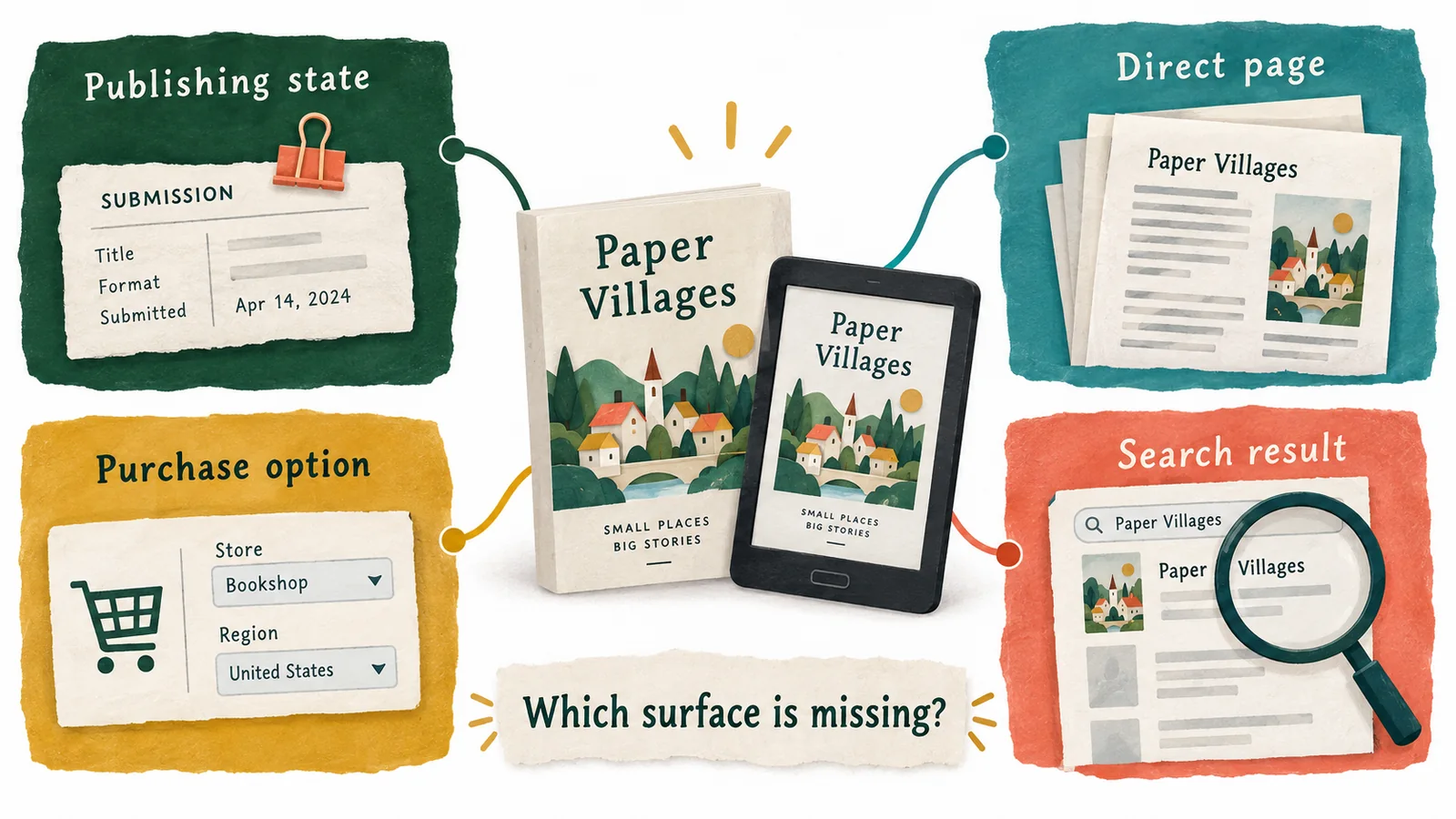
Start with the missing surface, not an indexing verdict
If your KDP book is not showing on Amazon, first establish what you cannot find. A missing title search, an inaccessible product page, an unavailable purchase option and a missing format tab are different symptoms. Each needs a different check. Changing keywords before making that distinction can leave the original problem unresolved and make the timeline harder to reconstruct.
Write one concrete sentence: "The paperback is not present in the Books results I inspected on Amazon.com today, but its direct page opens." That statement is useful. "Amazon deleted my book" adds a conclusion that the observation does not support. Keep the original URL and screenshot so you can compare the same surface later.
Separate first publication from a new incident
If the exact edition was previously available and now its direct page fails, use the disappeared-book incident workflow. If the page works but search visibility remains uncertain, use the scoped indexing checks. This first-pass guide helps you choose between those paths without assuming a cause.
Confirm the edition before testing its visibility
Open KDP Bookshelf and record the title, author, format and identifier for the affected edition. Follow its store link where available, then check the destination marketplace and selected format. Do not start from an old social post: its link may point to another edition or another store. A recognizable cover is not enough to prove you have the right record.
Compare identifiers, not just titles
Keep the Kindle ASIN and the print edition's ISBN or ASIN alongside their own URLs. A paperback result is not evidence that the Kindle edition has vanished. KDP explains that Amazon generally shows one format per work in results; the format and territory troubleshooting guide is the relevant reference.
For each direct page, note whether it opens, which format is selected and whether a purchase option exists for the observed delivery region. Do not attempt a purchase just to test visibility. Avoid sharing full addresses, account identifiers or payment information in public screenshots.
Read the publishing state beside the affected format
| Observation | Check next | Do not conclude yet |
|---|---|---|
| No retail page and no Live confirmation | Exact Bookshelf state and submission record | The book was removed after publication |
| Direct page opens, search result absent | Department, query, filters and market | Universal absence from Amazon's index |
| Page opens, intended format unavailable | Selected edition, region and rights settings | Every edition is unavailable everywhere |
| Previously working direct page fails | Before-and-after record, status and notices | A routine ranking change explains it |
Copy the displayed status rather than translating every state to "published." KDP's Book Status definitions distinguish initial review, publishing, Live update states and Blocked. If KDP has sent a specific instruction, handle that instruction instead of experimenting with unrelated metadata.
Keep status and retail evidence together
A screenshot of Bookshelf documents what the publishing system reports. A retail screenshot documents what a shopper can currently see. Neither should replace the other when they appear inconsistent. Save both with timestamps and the edition identifier; that discrepancy is precisely what support may need to investigate.
Use the clock for the operation you actually submitted
Submission, review completion, retail availability, search appearance and format linking are not one event. Record the timestamp of each event you can verify and leave unknown events unknown. Do not start a search-appearance deadline from a draft save or a cover upload that was never submitted.
For a new eBook, KDP's Timelines table lists up to 72 hours after the book is Live for search display. Print detail-page timing varies by marketplace, and other operations have their own estimates. Use the relevant row rather than treating 72 hours as a universal publishing or support promise.
Make a dated recheck, not an endless refresh loop
Set a reminder based on the applicable estimate and retain the first observation. If the book is still being processed, repeated edits do not provide a clean test. If a genuine restriction notice arrives, do not wait for a search timer to expire before reading and addressing it. Waiting is a response to a processing state, not a remedy for every symptom.
Repeat a controlled search in the appropriate department
- Use the intended Amazon marketplace and record the delivery country or region.
- Select Books for print or Kindle Store for the eBook.
- Remove optional filters, then enter the actual title and author.
- Record the exact query and the portion of results inspected.
- Check any displayed edition and follow the direct destination.
- Repeat once in a clean private session if personalization is a concern.
These checks follow the department and clean-session approach in KDP's find-your-book guidance. They improve the description of a problem; they do not reproduce every customer's experience. A clean session is another observation, not a neutral view of the entire marketplace.
Keep a search miss narrower than its interpretation
A broad phrase such as "travel book" is a poor first diagnostic for a specific title. An absent result in the pages you inspected does not establish that no matching result exists. Conversely, finding the title does not prove that every relevant topic phrase can retrieve it. When the book is searchable but hard to discover, move to the reader discovery workflow instead of treating routine competition as a technical failure.
Choose one next action from the evidence
| Evidence bundle | Next action | Useful stopping point |
|---|---|---|
| Initial processing, applicable estimate not elapsed | Retain status and schedule a recheck | Live confirmation or a specific notice |
| Wrong edition or store link | Correct the destination you control | Correct edition opens in intended store |
| Page available, repeated scoped search misses | Document search context and ask KDP to inspect | Support response or reproducible appearance |
| Explicit restriction or correction notice | Follow the stated issue and response channel | Required correction accepted or case clarified |
Do not create a second problem to test the first
Do not repeatedly unpublish and republish, create a duplicate edition or change a locked title merely to trigger a refresh. KDP's update overview separates permitted updates from changes requiring a new edition. Use that process for a justified correction, not as an indexing trick. Keep the manuscript, description and metadata truthful.
If the check identifies a real field error or an unsubmitted update, continue with the documented correction workflow. If a specific restriction notice is involved, use the risks and notice guide map rather than treating it as a routine search delay.
Build a support case another person can reproduce
Include the edition identifier, marketplace, direct URL, Bookshelf state, submission or Live timestamps, exact search query, department, filters and observed result. Add a screenshot with its time zone. Explain what you expected and what happened without demanding a particular rank or diagnosing a hidden penalty.
Fictional case summary: "My paperback page opens in the intended store and shows a purchase option for the recorded region. The title-and-author query in Books did not show this edition in the first three result pages I inspected on two dated checks. Please check whether there is a listing or search-availability issue for this identifier."
Ask the smallest answerable question
Do not attach unrelated account history or an entire royalty spreadsheet. Keep the relevant identifiers and screenshots together, redact personal information, and add new observations to the same case where appropriate. A focused report makes an inconsistency inspectable; it does not guarantee a particular resolution time.
Resume promotion only after checking the destination
If the direct page or intended purchase option is broken, pause new discretionary traffic to that destination while investigating. If only a broad search position changed, a working direct link may still serve existing subscribers. Decide from the actual symptom rather than stopping every channel automatically.
Define recovery before declaring success
Record the recovered surface: correct page accessible, intended format available, or title found in a specified search. Do not turn one successful check into a claim of restored global visibility. Save the resolved case and corrected links so the same issue can be recognized later. For ongoing search improvement, use query-specific position tracking and the discovery hub above.
Use the KDP troubleshooting guides to distinguish listing, indexing, sales and account problems before choosing a fix.
Sources and scope
Official KDP sources rechecked on 16 October 2026 and linked at the relevant steps. The case and decision tables are original teaching examples, not tests of an actual Amazon listing. Timelines are operation-specific estimates. This guide provides a diagnostic workflow, not access to Amazon's private index or a promise of placement.
Frequently asked questions
Why is my KDP book not showing after I submitted it?
Submission is not Live confirmation. Check the affected format's Bookshelf state and the applicable publication estimate before diagnosing a search problem.
My book page opens but I cannot find it in search. Was it removed?
Not necessarily. Record the query, department, marketplace, filters and inspected results. A missing search result does not establish that the product page or all editions were removed.
Should I wait 72 hours for every KDP change?
No. Timing depends on the operation, format and marketplace. The new-eBook search estimate is up to 72 hours after the book is Live; other operations have separate estimates.
Why does Amazon show the paperback instead of my eBook?
Amazon generally displays one format of a work in search. Check the format options and each edition's direct destination before concluding that another format is missing.
Should I unpublish and republish to make my book appear?
Do not use repeated unpublishing or duplicate editions as a refresh trick. Establish the symptom first, then follow the permitted correction or support process.
What should I include when contacting KDP?
Provide the affected identifier, store URL, marketplace, region, Bookshelf state, relevant timestamps and exact observed search or page result, with redacted screenshots.