

KDP Category Not Showing: Find the Missing Surface
A missing setup option, an absent rank line and a book outside a bestseller list are different problems.
Record the selected hierarchy and publishing history, check the appropriate context and make a justified correction before escalating.
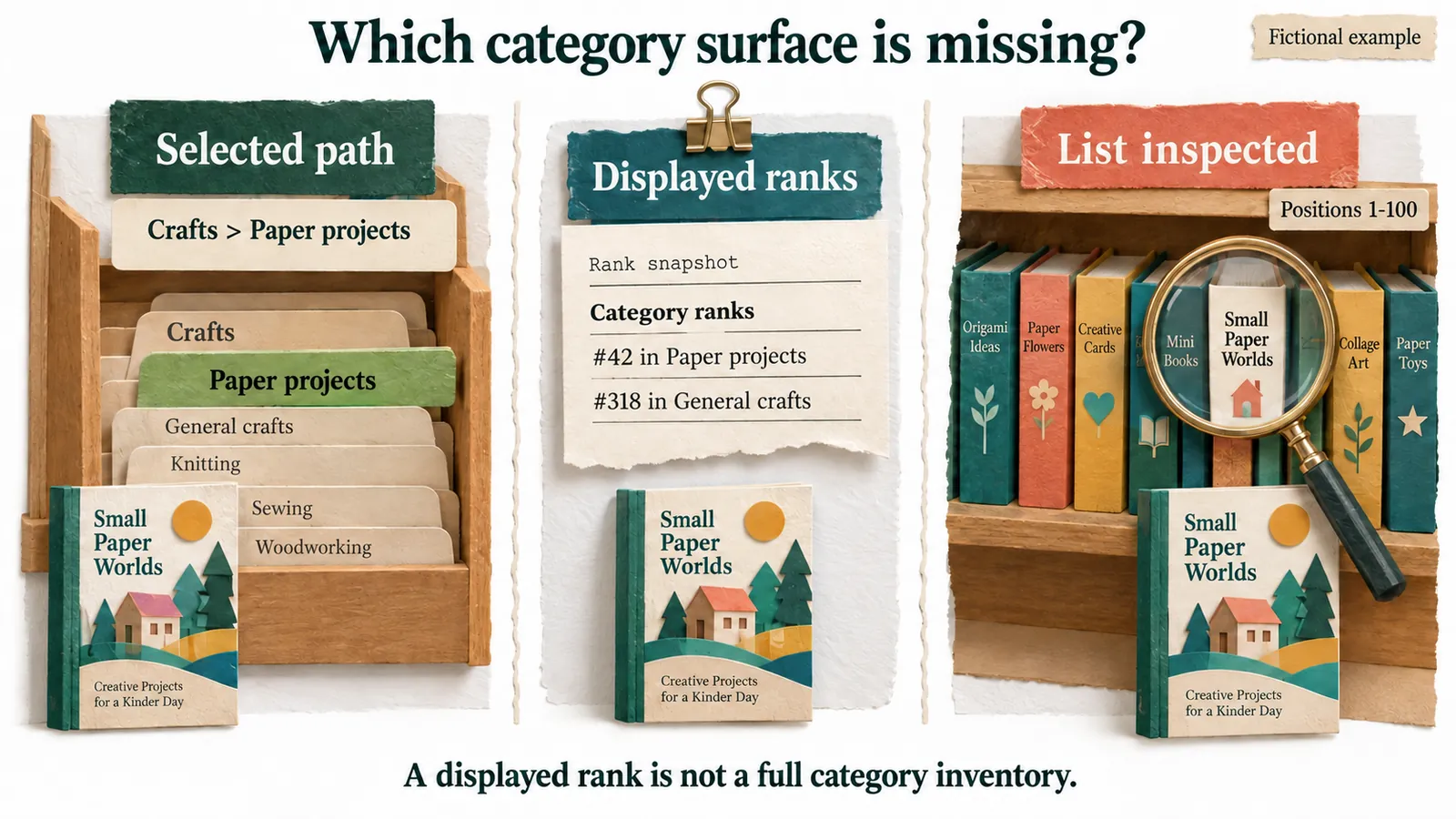
Identify which category surface is missing
When a KDP category is not showing, first name the place you expected to see it. Was the category unavailable in the setup picker, absent from the detail page's rank section, or missing from a bestseller list you browsed? Those surfaces are related, but they do not show the same information. A repair depends on which one differs from your expectation.
Keep category classification separate from ordinary search retrieval. If you cannot find the work by title, use the scoped search checks. If the whole retail destination fails, use the listing triage. A missing category label alone does not establish either problem.
Write down the exact expectation
"This format's submitted category path is not reflected on the surface I inspected" is a usable complaint. "The book is nowhere on Amazon" is not established by that observation. Retain the exact path and page URL so a reviewer can check the same category rather than a similarly named shelf.
Retain the selected category path and submission history
Open the affected edition's details and record the current selection. Include the full hierarchy shown in the picker, the format, identifier, primary marketplace and primary audience settings. Save the latest category update's submission and publication evidence. A note from months ago may describe a category path that is no longer offered or a change never submitted.
Keep selected, submitted and observed in separate columns
Do not overwrite the submitted path with the label currently visible on the retail page. The difference may be the issue you need to explain. Your working record should show what you selected, when it was sent, and what you observed afterward. If one of those is unknown, label it unknown instead of reconstructing a convenient history.
| Surface | What to retain | Next check |
|---|---|---|
| KDP category picker | Format, primary market and offered paths | Is the desired path currently available here? |
| Submitted edition details | Selected hierarchy and update state | Was this version actually submitted? |
| Retail detail-page rank section | Edition URL and displayed ranks | Are you expecting every classification to be listed? |
| Bestseller list | Exact list, store, format and inspected range | Are you confusing list position with category membership? |
Check the format, marketplace and current category tree
KDP's category documentation explains that options vary by format and marketplace, and category trees can change. A shelf visible for another edition or store is not a promise that the same path is selectable for yours. Compare like with like before reporting a missing option.
Do not change the marketplace merely to reveal a desirable shelf
The primary marketplace should reflect the intended publishing setup, not a tactic for accessing a label. KDP's metadata guidelines warn that changing it for a published or pre-order title may affect list price. Review pricing if a justified marketplace correction is required; do not make that change casually during a category experiment.
If a retail category is new but not yet offered in KDP, do not paste an invented path into another field or assume an old tutorial provides a current solution. Record the mismatch and inspect the closest accurate option available. The useful question is whether the selected shelf truthfully describes the book, not whether you can reproduce another publisher's screenshot.
Check the actual content and intended audience
A category should describe the delivered book. For our fictional Paper Villages at Home, miniature paper construction is the subject; the existence of houses in the illustrations does not make it an architecture textbook or a children's story. Compare the reader's expected experience with the manuscript, not just the cover's imagery.
Use exclusions to prevent an inaccurate repair
Write a short list of what the book is not. An adult craft guide may be suitable for a hobby shelf without being a classroom worksheet pack. Reject a mismatched shelf even if its visible bestseller list looks easier to enter. A lower apparent competitive threshold does not establish relevance or reader demand.
Keep primary-audience and reading-age information truthful. The KDP category reference describes audience restrictions, including sexually explicit images or titles being inappropriate for children's and young-adult shelves. Correct an actual mistake through the permitted process; do not relabel the book to evade a restriction. For an explicit KDP notice, respond to the stated issue rather than trying unrelated categories.
Submit a justified correction and check its own timing
- Locate the affected format in Bookshelf and open its details.
- Review the audience and primary-market information before changing the category.
- Retain the old hierarchy and the reason a different path is more accurate.
- Select the appropriate available path without adding unrelated shelves.
- Continue through the normal publication workflow and submit the update.
- Record confirmation, resulting state and later observations separately.
KDP currently permits up to three category selections. Its category help page describes up to 72 hours for new category display and asks publishers to consider whether updates have been published. The Timelines reference separately notes that category-related sales-rank updates can take up to one week. Do not treat those as the same clock or a guarantee of a particular list position.
For the category-display check, KDP's troubleshooting question starts from when the updates were published, not when you first saved the form. Record that publication evidence separately from submission. If publication is unconfirmed, say so; a timestamp for an unsubmitted draft cannot establish that the display window has elapsed.
Saving is not publication confirmation
Record whether the update is merely saved, submitted or reflected in a later state. Use the documented repair workflow for the broader change record. Do not repeatedly replace categories while the first correction is still being assessed; it obscures which version your later check concerns.
Separate category classification from bestseller rank
KDP's Sales Ranking reference says a book can rank in up to three Best Seller Category lists regardless of how many categories it features within. Displayed category ranks are therefore not a complete classification inventory. An absent rank line does not by itself prove your selected category was rejected.
| Evidence | Useful conclusion | Unsupported conclusion |
|---|---|---|
| Path selected in KDP | Your recorded category choice | Every retail surface has already updated |
| Rank displayed on the edition page | A listed rank in that checked context | A complete list of every classification |
| Book absent from inspected bestseller positions | Not observed within that list scope | No category membership anywhere |
| Category appears on another edition | That edition has the observed display | Identical options must exist for this format |
Do not manufacture activity to test placement
A ranking movement is not a category assignment receipt. Do not arrange purchases, cancellations or scripted searches as a diagnostic technique. If your aim is better reader discovery within a truthful shelf, use category strategy and the category-ranking workflow. Keep that marketing task separate from correcting the recorded classification.
Report a reproducible mismatch with the exact hierarchy
If the relevant processing checks leave a genuine inconsistency, provide KDP with the format identifier, marketplace, selected hierarchy, submission and publication times, observed surface and screenshot. Explain the content fit briefly. Ask whether a classification or display issue remains, not which unrelated category would be easiest to dominate.
Fictional case note: "This edition's category correction was submitted at the retained time and later published. The attached selection record and retail observation do not match in the specified store. The book's chapters support the selected craft subject. Please clarify the classification or display discrepancy for this identifier."
Ask for clarification, not a marketing guarantee
KDP's category guidance states that support does not provide category-selection strategy. A support response can address a documented issue without promising demand, badge eligibility or a bestseller position. Keep that boundary in the case, and retain the explanation even if the outcome is that your original expectation was wrong.
Maintain a small category record instead of chasing labels
After resolution, retain the final selection, market, format, date and verified outcome. If the category tree changes later, compare that record with the current options. Do not call a changed label a failure until you check the actual hierarchy and affected edition. Recheck when a substantive content or audience correction requires it, not merely because a rank fluctuates.
Route the remaining problem to the right guide
If categories are appropriate but topic searches remain weak, use the keyword failure audit. For broad audience discovery, return to the discovery hub. Close this task with a defensible statement about selection or display, not a claim that every visibility problem has been solved.
If the category line is present but its number worsened, use the ranking comparison workflow. That is a different observation from a missing classification and should not trigger an unrelated category change.
Use the KDP troubleshooting guides to distinguish listing, indexing, sales and account problems before choosing a fix.
Sources and scope
Official KDP documentation rechecked on 16 October 2026. The example book, case note and decision tables are fictional. No current category path or live listing was tested for this article. Available options, audience rules and estimated timing should be rechecked for the actual format and store.
Frequently asked questions
Why is my selected category missing from the rank section?
Displayed category ranks are not a complete classification inventory. Compare the affected edition, store, submission history and actual surface before concluding the selection was rejected.
Why can another book select a category I cannot find?
Available category paths can differ by format and marketplace and change over time. Inspect the current options for your own publishing setup rather than relying on another book's display.
How long do category changes take to appear?
KDP's troubleshooting guidance asks whether 72 hours have passed since the update was published. Its Timelines page separately allows up to one week for category-related sales-rank updates. Neither is a promise of a particular list position.
Does absence from a bestseller list prove no category membership?
No. It establishes only that the work was not observed in the inspected list range. List position and category classification are different questions.
Should I choose a less relevant category to get a badge?
No. Classification should describe the actual content and intended audience. Do not use an unrelated shelf or inaccurate age information to chase easier placement.
What should I include in a missing-category support case?
Provide the identifier, format, store, exact hierarchy, submission and publication evidence, current observed surface and screenshots. Ask about the mismatch, not a guaranteed ranking.