

How to Recover a KDP Account: Choose the Right Access Path
Recover the layer that is actually failing: login, security-code access, identity verification or an enforcement response.
Follow official instructions, protect sensitive records and verify the correct Bookshelf before resuming publishing activity.
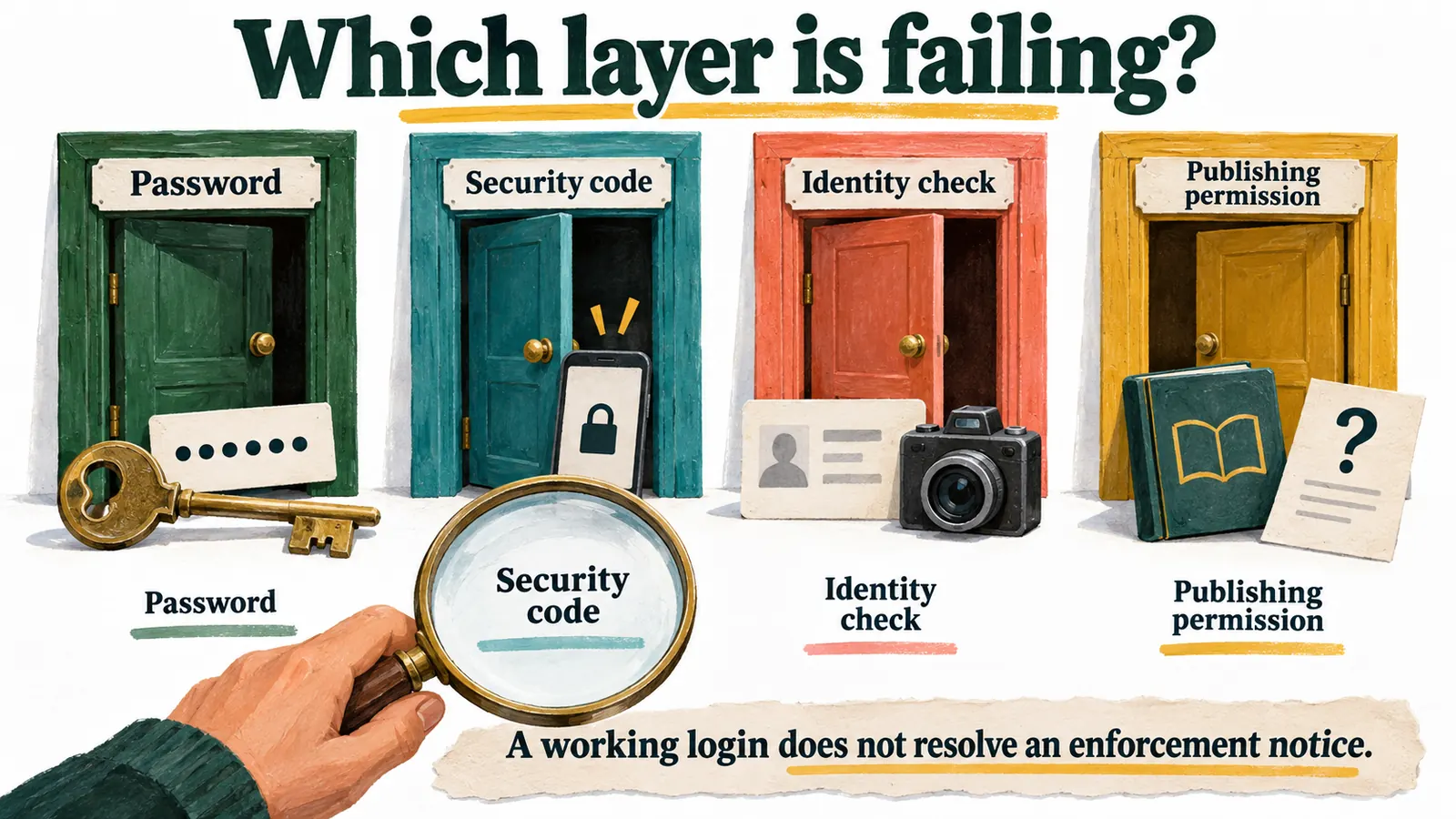
Choose the recovery layer before changing account details
Recovering a KDP account can mean regaining a forgotten login, resolving a two-step verification problem, completing a requested identity check or responding to an enforcement notice. These procedures answer different questions. Changing a password does not reverse a publishing decision, and submitting an identity document is not a substitute for a manuscript-rights response.
Start with the last screen you can reach and the exact message that stops you. Record whether you can sign in, see the expected Bookshelf or open Your Account. Then select one path below. Do not change your publishing identity, create another account or purchase a recovery service before understanding which layer is affected.
| Obstacle | Relevant check | Next action |
|---|---|---|
| Forgotten password or empty Bookshelf | Publishing login, not an unrelated shopping account | Official sign-in assistance |
| Cannot receive or access a security code | Enrolled verification method and exact prompt | Two-step troubleshooting or recovery |
| Identity request in the correct account | Requested process and current due date | Official identity verification |
| Restriction or termination notice | Full decision and response instructions | Case-specific response or appeal |
Recover the correct publishing login first
The official Sign in Issues guide covers password assistance, incorrect credentials and an empty Bookshelf. Confirm the account used to publish your books; a different shopping login can lead to an apparently empty account. Use the password-assistance flow reached from KDP itself when needed.
Record the obstacle before trying another fix
Distinguish a rejected password from a page that does not load, a successful login with unexpected books and an explicit account message. Save the error wording and time without exposing credentials. Check whether an address was mistyped or an unintended account was selected. Do not republish your catalog merely because the first Bookshelf you opened was empty.
If the official flow directs you to Amazon customer-account support, follow that route for the authentication issue. Tell the support representative what screen fails rather than asking for a publishing-policy decision they may not be handling. Keep the authentication result separate from any outstanding KDP correspondence.
Resolve two-step verification without sharing access codes
A one-time password is different from the account password. KDP's Two-Step Verification help covers delivery methods, registered-number problems and the recovery route when that number is inaccessible. Follow the option offered for your existing setup; installing an authenticator does not magically enroll it in an account you cannot access.
KDP requires two-step verification for Your Account even when the initial KDP sign-in does not request it. A separate Amazon customer-account setting can also cause a code prompt at sign-in. Record which page requested the code: seeing Bookshelf while Your Account remains inaccessible is not, by itself, evidence of a publishing ban.
Lost phone and delayed code are different tasks
If the registered method is still yours but delivery fails, use the current troubleshooting instructions. If the method is unavailable or unrecognized, use the stated account-recovery route. Do not repeatedly request codes while switching unrelated account fields, and do not send a code to a consultant or someone contacting you through social media.
Write down which step failed, not the security code itself. For example: password accepted, verification prompt reached, registered number no longer accessible. This narrows the request without disclosing an authentication secret. Preserve the case reference and any recovery instructions for the next session.
Complete a requested identity check with genuine matching information
Follow the request in the correct account under the official identity-verification process. Retain its due date and result. A submission or in-progress state is not the same as successful verification. If an attempt limit or error appears, follow the current troubleshooting instructions rather than repeatedly resubmitting.
Legal identity is not the book's pen name
KDP's name and country guidance distinguishes Your Identity details from a pen name in a book's author field. It also addresses changes and authorized business representatives. Do not replace genuine identity details with a publishing pseudonym or copy a different person's information.
Check the current accepted-ID list for the applicable country and document type. Use the requested physical document, not a paper copy or a fabricated alternative. Submit sensitive documents only through the verified process. If a genuine mismatch cannot be resolved using the published instructions, ask the specific question rather than inventing a new country or identity.
Keep the evidence of the process, not a public copy of your ID
A private recovery note can retain the date, result and relevant case identifier without copying document numbers into a shared checklist. Never upload an ID to a public forum to prove the request exists. When asking for help, a redacted description of the failing step is the appropriate starting point.
Use the actual notice for restrictions and termination
If the obstacle is an enforcement message, stop treating it as a device problem. Use the restriction triage guide to establish scope or the termination guide to organize an appeal. Read the full message, preserve the original and respond to the stated concern with truthful evidence.
Do not confuse closure, login and reinstatement
The voluntary-closure FAQ concerns a permanent author-requested action. Do not request closure as a troubleshooting step. No recovery checklist can promise that a policy decision will be reversed, and restored authentication does not establish restored publishing permission.
If a notice names an affected edition or document, keep that identifier in the response. Avoid unrelated attachments, invented admissions and a copied narrative about somebody else's case. A useful response explains your actual records and asks the unresolved question; it does not need to predict Amazon's internal reasoning.
Prepare a support record that makes the next action clear
Maintain a short chronology with the login context, failing step, error wording, date and actions already completed. Do not include passwords, live codes, full bank details or unnecessary identity information. Separate the private original from the redacted version you might share with an adviser. Follow the verified channel's instructions for any evidence it specifically requires.
| Useful record | Question it helps answer | Leave out |
|---|---|---|
| Correct publishing account identified | Is this the expected Bookshelf? | Publicly shared login credentials |
| Exact failing step and error | Authentication, code or verification problem? | One-time passwords |
| Dated action and result | What was already attempted? | Unsupported claims of approval |
| Case reference and open question | What should support investigate next? | Unrelated personal documents |
Fictional support note: "I reach the security-code prompt after entering the publishing login. The registered number is no longer available. I followed the recovery option shown there. This is the case reference and the step still unresolved."
This example deliberately contains no code, document number or promised outcome. Replace its observations with your own. If you do not know which account is involved, say so instead of inventing a confident account history.
Verify restored access and check for unwanted changes
After recovery, check the expected account and the function originally blocked. Record whether the correct books appear and whether Your Account opens. If a publishing restriction remains, keep it as a separate unresolved task. Do not resume a launch merely because you passed a password reset.
Investigate suspected compromise through the genuine channel
KDP's security guidance recommends changing the password, checking account details and Bookshelf, and reporting suspected compromise. Review unexpected changes carefully; do not silently overwrite a disputed payment field without preserving a private record of what you found.
Use a strong unique password and keep the recovery methods you legitimately control current. Retain important support correspondence securely. If another person assists with publishing work, use an arrangement consistent with the service's rules rather than handing them your password as a shortcut.
Build a small recovery routine before the next emergency
Keep a private inventory of the publishing login, current recovery methods, important case references and where your production archive lives. The inventory should point to secure storage, not become a plain-text list of passwords and ID numbers. Update it when genuine contact information changes.
Keep access recovery separate from book troubleshooting
Retain source manuscripts, cover files, permissions and downloaded business records as part of normal publishing operations. An account interface should not be your only copy of the work. Once access is stable, use the KDP troubleshooting hub for independent listing, metadata or sales problems. A low sales count is not evidence that the recovery failed.
Finish each recovery task with the verified outcome, the date and any remaining action. That short record makes the next conversation more useful and prevents a temporary login problem from becoming a sequence of unrelated publishing changes.
Sources and scope
Official KDP help rechecked on 16 October 2026. The decision table, support note and private record format are original practical aids. No private account was accessed or tested. Follow current prompts and notices; this guide cannot guarantee verification, reinstatement or a specific recovery time.
Frequently asked questions
Why is my KDP Bookshelf empty after signing in?
You may be using a different Amazon login. Follow the official sign-in checks before concluding that your catalog was removed.
What if I cannot access the phone number for verification?
Use the recovery route in KDP's Two-Step Verification help or the current prompt. Do not share one-time passwords with a third party.
Should I use my pen name for identity verification?
Use the applicable legal identity details, following KDP's name guidance. A book's author field can contain a pen name; it is a different field.
Can I upload any document to verify my identity?
Check the current accepted-ID list for the applicable country and document type. Use the genuine document requested through the official process.
Will a password reset reverse a termination?
No. Authentication recovery and an enforcement decision are separate. Follow the actual notice for the latter.
How long does KDP account recovery take?
There is no single reliable duration for all recovery layers. Follow the current process, any stated due date and the instructions for your specific case.